I am a software engineer with over 10 years of experience in a huge variety of projects and architectures, some simple others considerably complex.
Some of my main skills include Software Architecture, Web Development, ASP.NET Core, React.js, Entity Framework Core, Javascript, SQL and Web Services.
I consider myself passionate about coding as I really fell excited about learning technologies and using them to automate and improve processes.
Objective 🎯
Allow to decouple one abstraction from its implementation so that both can vary independently, in other words, it allows to split a large class into two separate hierarchies (abstraction and implementation).
Type ✅
❌Behavioral: Describes how objects interact/communicate between themselves.
❌Creational: Describes how to instantiate an object without large and complex.
✔️Structural: Describes how objects/classes are composed to form larger structures.
Notes 📝
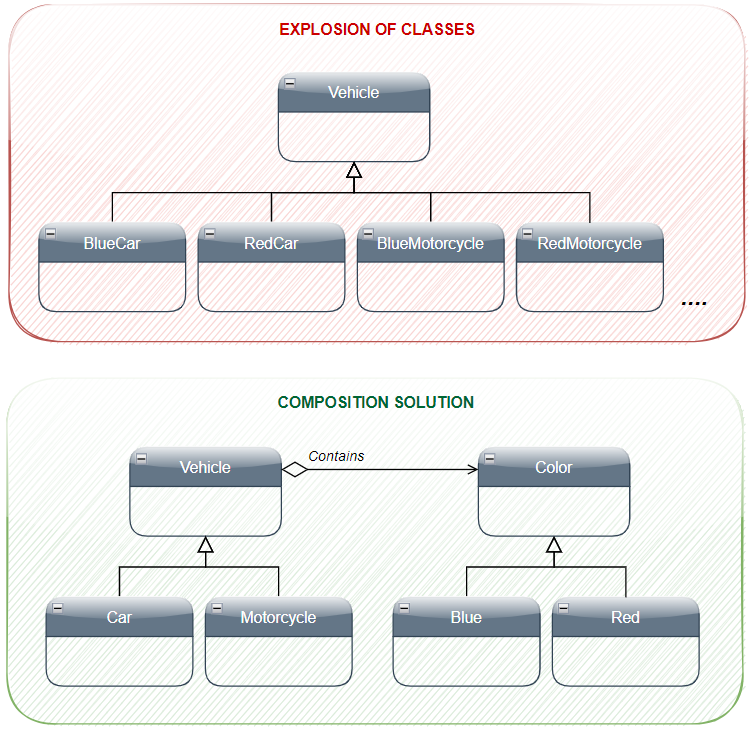
• Bridge pattern comes as an option to avoid an inheritance problem known as “proliferation of classes” or “explosion of subclasses”
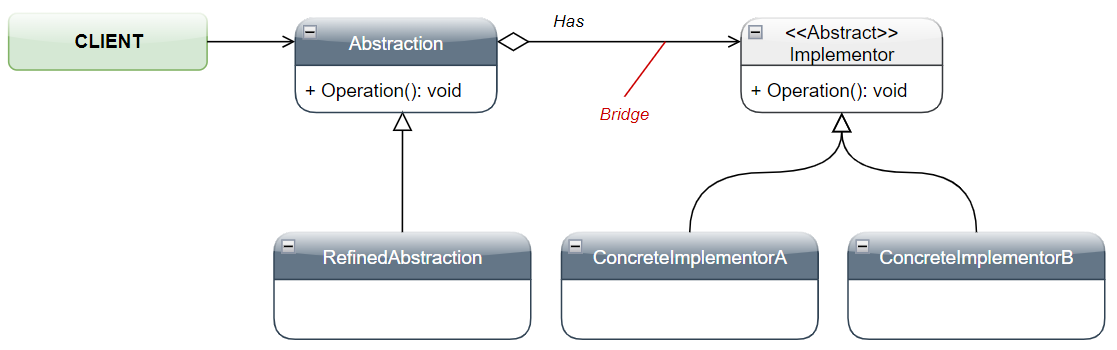
UML 📐
Participants 🔗
• Abstraction:
- Defines the abstraction’s interface
- Maintains a reference to an object of type Implementor
RefinedAbstraction:
- Extends the interface defined by Abstraction
• Implementor:
- Defines the interface for implementation classes.
• ConcreteImplementor:
- Implements the Implementor interface and defines its concrete implementation.
Sample Code 🎮
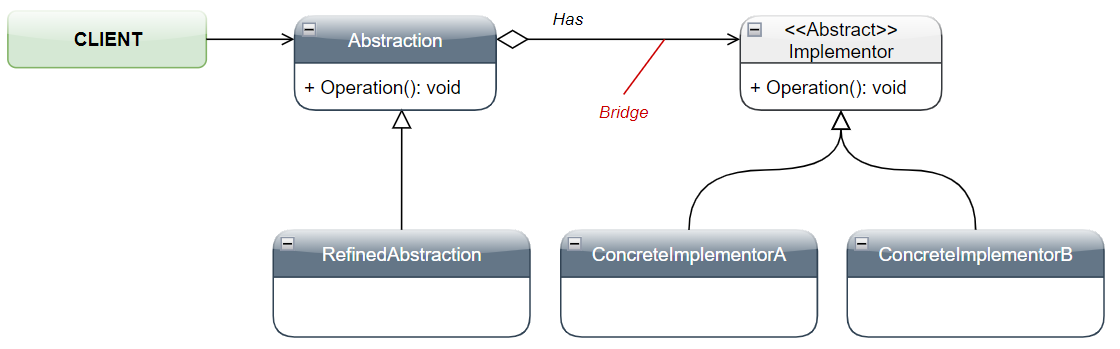
Structural Example 🏛️
public static class BridgeStructural
    {
        public static void Execute()
        {
            Abstraction lAbstraction = new RefinedAbstraction();

            // Set Implementor to A
            lAbstraction._Implementor = new ConcreteImplementorA();
            lAbstraction.Operation();

            // Set Implementor to B
            lAbstraction._Implementor = new ConcreteImplementorB();
            lAbstraction.Operation();
        }
    }

    public class Abstraction
    {
        public Implementor _Implementor { get; set; }

        public virtual void Operation()
        {
            _Implementor.Operation();
        }
    }

    public abstract class Implementor
    {
        public abstract void Operation();
    }

    public class RefinedAbstraction : Abstraction
    {
        public override void Operation()
        {
            _Implementor.Operation();
        }
    }

    public class ConcreteImplementorA : Implementor
    {
        public override void Operation()
        {
            Console.WriteLine("Concrete Implementor A - Executing Operation...");
        }
    }

    public class ConcreteImplementorB : Implementor
    {
        public override void Operation()
        {
            Console.WriteLine("Concrete Implementor B - Executing Operation...");
        }
    }
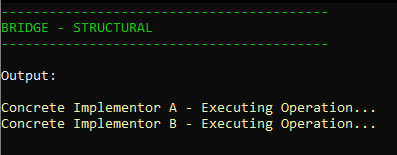
Output
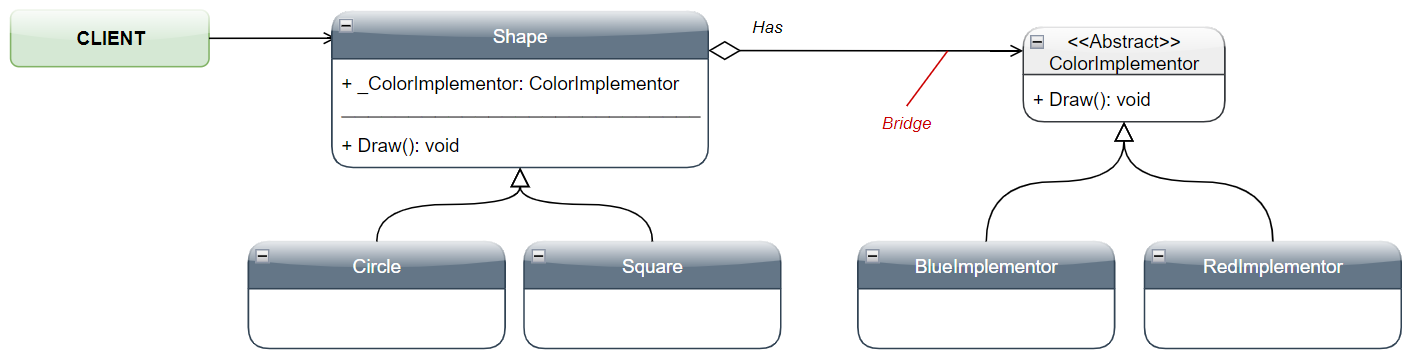
Real-world Example 🔥
public static class BridgePractical
    {
        public static void Execute()
        {
            Shape lShape = new Square();

            // Set Implementor to Blue
            lShape._ColorImplementor = new BlueImplementor();
            lShape.Draw();

            // Set Implementor to Red
            lShape._ColorImplementor = new RedImplementor();
            lShape.Draw();
        }
    }

    public class Shape
    {
        public ColorImplementor _ColorImplementor { get; set; }

        public virtual void Draw()
        {
            _ColorImplementor.Draw();
        }
    }

    public class Square : Shape
    {
        public override void Draw()
        {
            _ColorImplementor.Draw();
        }
    }

    public class Circle : Shape
    {
        public override void Draw()
        {
            _ColorImplementor.Draw();
        }
    }

    public abstract class ColorImplementor
    {
        public abstract void Draw();
    }

    public class BlueImplementor : ColorImplementor
    {
        public override void Draw()
        {
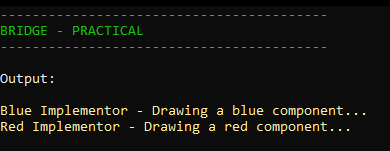
            Console.WriteLine("Blue Implementor - Drawing a blue component...");
        }
    }

    public class RedImplementor : ColorImplementor
    {
        public override void Draw()
        {
            Console.WriteLine("Red Implementor - Drawing a red component...");
        }
    }
Output
Source Code 🎲
https://github.com/VictorLins/DesignPatterns